
Checksum-first install
FairPlay Download — Verified APK Link With a Checksum Line, Updated Every 6 Weeks
To get the FairPlay download, open the lobby menu, tap Download, save the APK and compare its checksum against the SHA line printed under the link before you install anything. A match means you hold the exact file the lobby published. Fresh builds arrive roughly every six weeks, and we test the link daily so this path stays current.

FairPlay Download Path, Step by Verified Step
Six moves. The only one people skip is the checksum, and it is the one that matters most, because a FairPlay APK picked up from a forwarded chat link or a random mirror page can look identical on the outside. The SHA line is how you tell.
- Open the live FairPlay address. Use the browser you normally use. If the main address will not load on your network, try the fourth mirror listed on the FairPlay 4 mirror address page; the menu inside is the same.
- Go to Download in the FairPlay menu. It sits in the same list as the sign-in and register entries. Inside: a single APK link, and right below it, the SHA line.
- Copy the SHA line first. Long-press it and copy, or take a screenshot. Do this before tapping the link, so you are comparing against what the FairPlay lobby showed rather than something you remember.
- Tap the APK link and let it finish. The file drops into Downloads. Switching apps halfway can leave a cut-off file, and a cut-off file never matches.
- Run the checksum on the saved file. A hash-checker app on the phone or a one-line command on a laptop gives you a string. Compare every character with the line you copied, not just the first few.
- Match, then install. Allow installs from that one browser when Android asks, open the app, and sign in with the ID you already have. No match? Delete the file and go back to step 2.
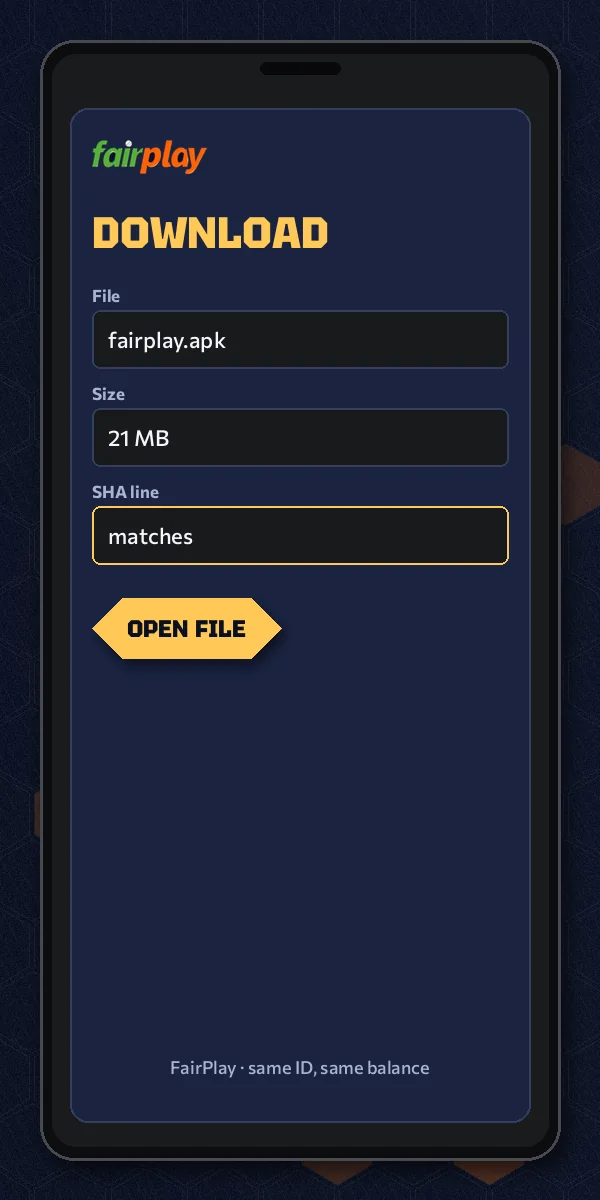
That is the whole FairPlay download path. In practice step 5 is where people stall, mostly because nobody told them a checksum is just a fingerprint for a file: change one byte and the fingerprint changes completely. Here is roughly what the line under the link looks like (this one is a made-up sample, not the live value):
SHA-256: 3f9a…e71c (64 characters in the real line)
If the line on your screen is 64 characters long, it is a SHA-256 value and any SHA-256 tool will produce a comparable string. Shorter lines would point to a different algorithm, so pick the matching option in your checker.
Running the FairPlay checksum on the phone itself
Any free hash-checker from the Play Store does the job; pick one that lets you paste an expected value and compares for you. Open it, choose SHA-256, point it at the file in Downloads (the newest FairPlay APK, not an older one with a similar name), and paste the line you copied from the menu into the compare box. Most tools turn the result green or show the word Match. Some only print the calculated string. Then you compare by eye, which is where the side-by-side trick further down helps.
Two small habits save a lot of confusion. Rename nothing before the check, since a renamed file is still the same bytes but people then lose track of which copy they tested. And clear old FairPlay APKs out of Downloads once a new build is installed, because three files called almost the same thing is how somebody ends up installing the wrong one.
FairPlay APK Terms Used on This Page, Made Clear
- APK
- The Android install file for the FairPlay app. One file, one build. File size and the oldest Android it supports are covered on the FairPlay app install page.
- SHA line
- The string printed under the APK link in the Download menu. It belongs to that build only and changes whenever a new FairPlay build is posted.
- Checksum
- The string your own tool calculates from the file sitting on your phone. Same as the SHA line = genuine file.
- Build
- Whatever file the Download screen carries today, paired with today's SHA line. Swapped about every six weeks; the lobby nudges older installs.
- Mirror address
- Another domain that opens the same FairPlay lobby when the main one is blocked by a network. Same menu, same Download entry, same SHA line.
- Install over
- Putting a new build on top of the old app. Your ID and wallet live on the exchange, not inside the phone, so nothing account-side is lost.
Fast FairPlay APK Fixes, Phone by Phone
Start every fix from the SHA line you copied, then work outward. If the checksum agreed and the install still fails, the phone is the problem, not the FairPlay file. If it disagreed, nothing further down the table applies yet.
| Where it stopped | SHA check result | Next move |
|---|---|---|
| Before installing, at the compare step | Mismatch | Bin the file. Back to the FairPlay menu, recopy the line, fetch again on Wi-Fi |
| Tapping the file gives a parsing complaint | Usually never run | Run it now; a half-saved APK fails the compare every time, which settles it |
| Install bar runs, then quits | Match | An earlier FairPlay build is in the way or space is short; remove the old app, clear room, tap the same file |
| Phone refuses files from the browser | Match | Grant install rights to that one browser only, from the shortcut on the prompt, and tap the file again |
| Play Protect asks for a second opinion | Match | Your compare already answered it; open More details and continue. With no match, back out |
Order matters. Check the SHA line before you ever touch the install-permission switch; turning on unknown sources for a file that failed the match is exactly backwards.
The wording of those prompts shifts a little between phone makers, and so does where the permission switch hides. Below is how it tends to go on the phones FairPlay players in India mostly carry. Menus get renamed with almost every Android skin update, so treat the paths as close rather than exact.
When the FairPlay download itself will not start
Sometimes the trouble comes earlier, before there is any file to check. Tapping the APK link opens a blank tab, or Chrome pops a line saying the file might be harmful. That second one is Chrome being cautious about every APK, not a verdict on this one; tap Download anyway, then let the checksum decide. A blank tab usually means the address you are on has gone stale mid-session. Reload the FairPlay lobby, open the menu again and tap Download fresh rather than retrying the dead tab.
Less common: the file saves with a strange extension such as .bin, or the download sits at zero percent. Both point to the network rather than the build. Switch from mobile data to Wi-Fi, or the other way round, and try again. If the menu has no Download entry at all, you are probably on an old cached copy of the page; a hard refresh brings it back.
Samsung Galaxy phones
One UI asks for permission per app. The first time you open the FairPlay APK from Chrome or Samsung Internet, a sheet appears with a Settings shortcut; flip Allow permission and press back. Samsung also runs its own Auto Blocker on newer models, which can refuse sideloaded files outright. If the install button greys out with no explanation, that is probably it: switch Auto Blocker off in Security settings, install the matched file, then switch it back on if you like.
Xiaomi, Redmi and POCO
These phones add a security scan after the Android prompt. It sometimes takes a few seconds and may label any non-store file as risky. Fine. The checksum you already matched is a stronger signal than a generic warning. On some HyperOS builds you will also be asked to wait out a short countdown before the install button unlocks — let it run.
vivo, OPPO, realme and OnePlus
Expect an extra confirmation, occasionally a request for your phone-account password before an outside APK is allowed. Typing it is a phone-side check, nothing to do with FairPlay. Where it gets confusing is the file manager: some of these skins open downloads in their own manager, which may hide the install option behind a three-dot menu.
Checking the SHA line on a laptop
No hash app on the phone? Download the same FairPlay APK on a laptop instead and run one command. On Windows it is certutil -hashfile file.apk SHA256 in Command Prompt; on a Mac it is shasum -a 256 file.apk; Linux uses sha256sum file.apk. Compare, then send the verified file to the phone by cable. Slower, yes. But it removes the guesswork from step 5.
Downloading through a FairPlay mirror address
Say the main address times out on your Jio connection tonight but a mirror opens fine. Download from the mirror. Nothing about the file changes. Each mirror serves the same FairPlay lobby, the same Download entry and the same SHA line, which gives you a neat cross-check if you are unsure: open the menu on two addresses and the two lines should be identical. If they differ, one of those pages is not a real FairPlay mirror, and you should close it. Your user ID works on whichever address loads, so pick the one that opens and move on.
iPhone, and phones you would rather not install on
iOS has no way to open an Android package, so the checksum routine is irrelevant on Apple phones. Their route is a Safari home-screen icon, set out on the FairPlay application page. And if you simply do not want another app on the phone, the FairPlay online browser lobby runs the same markets with no install, which also means no checksum to worry about.
A Real FairPlay Download Session, Clocked on Update Day
Here is one composite evening, put together from how update days usually go. The player already had an older FairPlay build on a mid-range Android phone; the lobby had started showing the update nudge. Home Wi-Fi, nothing unusual. Your clock will differ, and that is fine; the order is the point.
- Opened the FairPlay address in Chrome. Lobby loaded, update banner visible.
- Menu, then Download. Copied the SHA line into a notes app and also screenshotted it, belt and braces.
- Tapped the APK link. Kept the browser in front.
- Download finished. Opened a hash-checker app, pointed it at the file, chose SHA-256.
- Pasted the copied line into the compare box. Match.
- Tapped the file. Android asked once about Chrome installing apps; allowed it. Installed over the old app without uninstalling.
- Opened the new build, typed the user ID, password and picture code, landed on the same balance as before.
Six minutes, end to end, and roughly two of those were the checksum. Would skipping it have saved time? A little. But it is the only part of the session that proves the file came from the FairPlay Download menu and not from wherever a forwarded link was pointing that day.
The sign-in at 8:08 is the normal FairPlay card; if the picture code gives trouble on a fresh install, the FairPlay login steps cover what each field expects. And somebody downloading the APK with no account yet should create one first through the new FairPlay ID route, because the app opens straight onto the sign-in card and has nothing to show without an ID.
Keeping the FairPlay App on the Current Build
The six-week rhythm is a rough average, not a timetable, so nobody needs to mark a calendar. The lobby itself tells you: an update nudge appears inside the FairPlay app once a newer build is on the Download screen. When you see it, repeat the same path — menu, Download, copy the new SHA line, download, check, install over.
Installing over the old app is the normal route and costs you nothing on the account side, since the ID and balance sit on the exchange. Uninstall first only when Android refuses with App not installed. Either way, the old APK file in Downloads is now dead weight. Delete it. A file from two builds ago will still install on some phones, and then the sign-in card behaves oddly and nobody can tell why.
Two FairPlay Download Slip-Ups We See Most
A player in a Pune hostel got a FairPlay APK from a cricket group the night before a big match, installed it, and could not understand why the sign-in card kept spinning. The file was months old — two builds behind — and had been passed around so many times nobody remembered where it started. Fresh download from the menu, SHA line matched, signed in within a few minutes. Its the forwarded file, almost every time.
The second slip is quieter. People copy the SHA line, download, and then compare only the first six or eight characters because the full string is long. That feels thorough. It is not, quite: a tampered file and the real one could in theory share a few opening characters, and the whole line is the check. Paste both strings into the same notes app, one under the other, and read them side by side. Takes longer then you would think, maybe a minute, and it is a minute well spent.
One more thing on updates. A new FairPlay build means a new SHA line, so a line you saved six weeks ago is useless for today's file. Copy it fresh every single time, even if the the link looks unchanged.
People also search
Genuine FairPlay Download Searches, Matched to This Page
Where a fairplay download search lands inside the lobby
Someone typing fairplay download almost always wants one thing: the current Android file and a reason to trust it. On FairPlay9 both sit in the same place, the Download entry of the lobby menu, with the SHA line printed directly beneath the link. Nothing else on this page matters as much as copying that line before the file starts.
A fairplay apk download search lands on the same screen. The wording differs, the destination does not. Builds are swapped roughly every six weeks, so a file saved last month and today's file are not interchangeable even when the name looks the same.
- Open the menu on the working FairPlay address and pick Download.
- Copy the SHA line, then save the fairplay apk.
- Run a checksum and match every character before you install.
Why the fairplay apk is only trusted here after its line agrees
Once the checksum agrees with the line, the file on your phone is byte-for-byte the build FairPlay posted. Install it over any older copy; the ID and balance carry across because they sit on the exchange.
If the match fails, nothing is installed and nothing is lost. Delete, reopen the menu, try once more on a steadier connection.
Clear FairPlay APK Download Answers, SHA Line First
How do I download the FairPlay APK on Android?
Open the FairPlay lobby, tap the menu, choose Download and copy the SHA line under the link. Then save the APK, run a checksum on it and install only if both strings match. Android will ask once for permission to install from your browser.
Is the FairPlay APK download safe to install?
It is as safe as the match you check. A file taken from the lobby Download menu whose checksum equals the printed SHA line is the published FairPlay build. A file from a forwarded chat link with no matching line should be deleted, not installed, however familiar it looks.
What if the checksum does not match my FairPlay download?
Do not install it. Delete the file, reopen the FairPlay menu, copy the SHA line again and download once more on a steady connection. A mismatch usually means a cut-off download or a file from somewhere else. If a second try still fails, message the WhatsApp desk.
How long does a FairPlay download and install take?
A few minutes on home Wi-Fi. One update-day run took six minutes from opening the menu to signing in, and two of those went on the checksum. Slow mobile data stretches the download part, and a new build lands roughly every six weeks, so expect to repeat it.
What do I need before starting a FairPlay APK download?
An Android phone, a browser that can open the working FairPlay address, a checksum tool and an existing user ID. The app opens straight on the sign-in card, so create an ID first if you have none. iPhone users take the Safari home-screen route instead of an APK.
Which address should I use for the FairPlay download?
Use whichever FairPlay address opens on your network today. Every mirror shows the same menu, the same Download entry and the same SHA line, so the file you get is identical. If the main address is blocked, the fourth mirror usually still loads.