
Android file, iPhone icon
FairPlay App — Five Install Screens, One Official 21 MB Build, Picture Code at the End
Install the FairPlay app by fetching the official 21 MB build on an Android 8 or newer phone, then clear five screens: keep the file, allow the browser to install, confirm, let the scanner pass it, and open it to sign in. A couple of minutes on ordinary data. iPhone owners skip the file and pin a Safari icon instead.
FairPlay App Terms Made Clear Before You Install
Most install trouble starts with a word on the screen that means something slightly different from what it seems to say. Six terms turn up during every FairPlay app install. Here they are, in the order the phone throws them at you.
- APK
- The file itself. FairPlay ships its Android build as one 21 MB APK, the package format Android uses for anything that does not come through the Play Store. Tap it, Android unpacks it, done.
- Android 8
- The floor. Phones on Android 8 (Oreo) or anything newer accept the FairPlay build. Older handsets refuse it at the parsing stage, before an install button ever appears. Settings, then About phone, then Android version: ten seconds to know where you stand.
- Install unknown apps
- A per-app switch that arrived with Android 8. The phone no longer has one global setting; it asks whether Chrome, or Files, or whichever app opened the APK, may install things. Flip it once for that app, let the FairPlay file through, and flip it back later if you like a tidy phone.
- Play Protect
- Google's built-in scanner. It looks at sideloaded files and may pause the FairPlay install with a prompt of its own. Some phones never show it. Others ask you to scan first. Neither outcome means the build is broken.
- Safari icon
- The iPhone route. Apple does not run APK files, so there is no FairPlay file for iOS at all. The Share sheet in Safari has Add to Home Screen, which pins the FairPlay lobby as an icon that opens full-screen, much like an app would.
- Picture code
- The last screen. Once the FairPlay app opens, the sign-in card asks for your User ID, your password and a short code read off a small picture. What happens if that code is mistyped lives on the FairPlay login page, not here.
Why Players Pick the Official FairPlay App Over a Bookmark
A browser tab works. Plenty of people never install anything and reach FairPlay from Chrome every evening, which is exactly what the FairPlay online play page is about. The app earns its 21 MB for a narrower reason: one tap on the home screen lands you on the sign-in card, with no address bar, no pile of old tabs and no autocomplete dragging you towards a link that stopped working last month. For somebody who checks a cricket market twice in a lunch break, that single tap matters more then a feature list does.
The cost is storage and updates. The file lives on your phone, so a handset that is nearly full may need a clear-out first, and when FairPlay pushes a newer build you install it over the old one. How often that happens, and where the fresh file sits, belongs on the FairPlay app download page for updates. None of this touches the iPhone. There the Safari icon is only a pointer to the lobby: nothing stored beyond a shortcut, nothing to update.
One composite case, put together from the sort of questions that reach the desk. A player with an Android 7 phone tried the FairPlay file three times, hit the same parsing error each time, and decided the download was corrupt. It wasn't. The phone was one version short, that's all, and the browser route on the same handset worked that evening.
| Route | Works on | What you store | Updates | Sign-in |
|---|---|---|---|---|
| FairPlay app (APK) | Android 8 and newer | 21 MB file, then the installed app | Install a newer build over the old one | User ID, password, picture code |
| Safari home-screen icon | iPhone | Nothing beyond the icon | None needed | Same card |
| Browser tab | Any phone, including Android 7 and older | Nothing | None needed | Same card |
So the choice is less about which is better and more about which phone you hold. Android 8 or newer with a little space: take the FairPlay app. Older Android, or an iPhone: the icon or the browser does the same job, and the last column of that table is identical on every row for a reason. It is one FairPlay account wearing three doorways.
FairPlay App Download Times and Fixes in One Quick Table
Twenty-one megabytes is small by app standards. The table turns that size into rough waiting time at four common speeds. These figures are arithmetic (21 MB is 168 megabits, divided by the line speed), not a promise, and a crowded tower will drag any of them out.
| Connection | Speed assumed | Time for 21 MB |
|---|---|---|
| Weak 3G or packed stadium Wi-Fi | 1 Mbps | about 2 min 50 sec |
| Ordinary evening 4G | 5 Mbps | about 34 sec |
| Strong 4G | 20 Mbps | about 8 sec |
| Home fibre or 5G | 100 Mbps | under 2 sec |
Download speed is rarely the real holdup, though. The screens after it are. When a FairPlay install stalls, Android almost always says why, in words that sound scarier than the fix. Here are the messages people actually meet, what each one is really telling you, and the move that clears it.
| Message on screen | What it means | Fix |
|---|---|---|
| There was a problem parsing the package | Either the handset runs Android 7 or earlier, or the download cut out before reaching 21 MB | Check the Android version; if it is 8 or newer, download again and compare the size |
| App not installed | An older FairPlay copy is already on the phone, or storage is full | Uninstall the old copy, free some space, run the file again |
| A permission prompt naming your browser as the source | The Install unknown apps switch has not been turned on for that browser yet | Tap Settings on that prompt, allow it, press back |
| File might be harmful | Chrome shows this for every APK, not only FairPlay | Choose to keep it, provided the link was the official one |
| Blocked by Play Protect, or a scan prompt | The scanner has not met this build before | Scan it, or open More details and continue the install |
Uninstalling an old copy feels drastic. It isn't: the FairPlay ID, the balance and the bet history sit on the account, not inside the app, so a clean reinstall loses nothing you can see.
How much room the FairPlay app really takes
The download is 21 MB. The installed app takes somewhat more than that once Android unpacks it and the lobby caches a few images, which is true of nearly every app on the phone, so give yourself a little headroom rather than exactly 21 MB free. Then a small trick most people miss: the APK stays sitting in Downloads after the install finishes. It has done its job. Delete it from Files and you get the 21 MB back while the FairPlay app keeps working, because the phone no longer needs the installer once the app exists.
Keep one thing in mind if you delete it, though. When a newer FairPlay build comes out you fetch a fresh file anyway, so there is no reason to hoard the old one.
An edge case that catches people: an APK far smaller or far larger than 21 MB is not the FairPlay build, whatever icon it wears. Delete it. Files forwarded in chat groups are the usual source. Take the build from the official FairPlay link and from nowhere else.
Five Easy FairPlay App Install Screens on Android, Plus the iPhone Route
Every FairPlay install on Android passes through the same five screens. The labels change a little between Samsung, Xiaomi, Vivo and stock Android, but the order does not, so once you have seen them on one phone you will recognise them on the next.
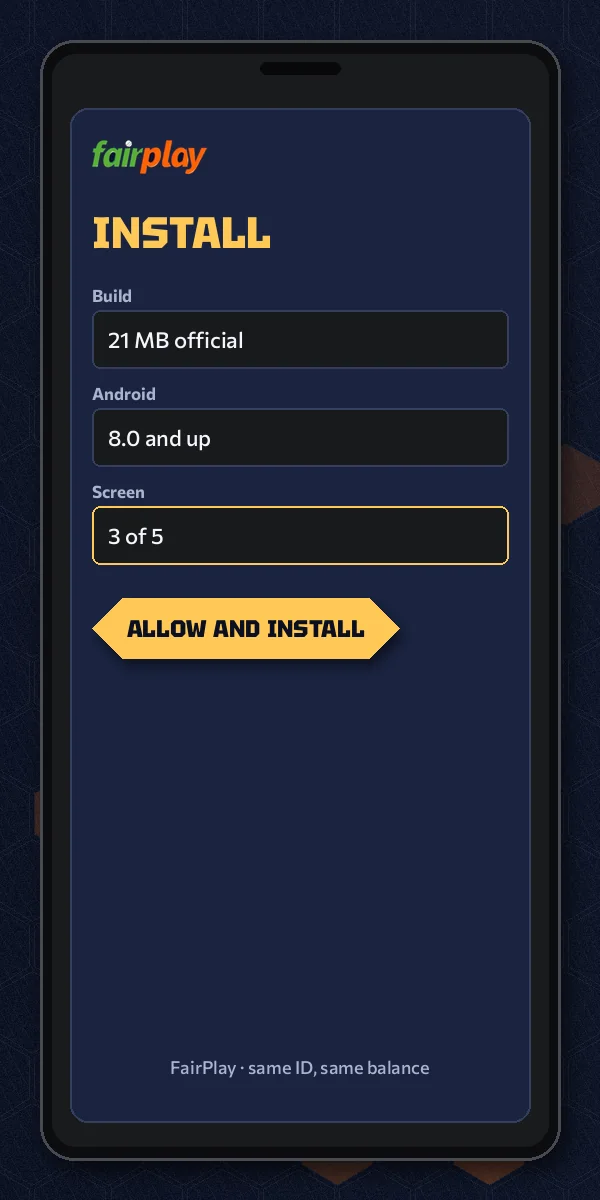
- Screen 1 — keep the file. Open the official FairPlay link and tap the Android download. The browser asks whether to keep a 21 MB file and may add its general warning about APKs. Keep it. The download bar fills in seconds on decent 4G.
- Screen 2 — allow the source. Tap the finished file. On a first-ever sideload, Android stops and asks permission for the browser to install apps. Open Settings from that prompt, switch it on, press back. You will not see this screen again for the same browser.
- Screen 3 — confirm the install. Android shows the FairPlay name and icon and asks whether you want to install. Tap Install. A progress bar runs for a few seconds; older phones take a bit longer then flagships.
- Screen 4 — the scan. Play Protect may step in. If it suggests scanning, let it run; if it shows a block notice, open More details and continue. On plenty of phones this screen never appears at all, which is fine.
- Screen 5 — open and sign in. Tap Open. The FairPlay app starts on the sign-in card: User ID, password, then the picture code at the very end. Type the code from the image and you are in the lobby.
That last screen is why the picture code gets a mention at the very top of this page. People finish the install, see an extra box after the password, and wonder whether something went wrong. Nothing did. It is the normal FairPlay sign-in, the same one the browser shows.
How the five FairPlay screens differ by phone maker
The order holds everywhere. The wording around it wanders, and that is where people second-guess themselves.
- Samsung: if you open the FairPlay file from My Files rather than Chrome, screen two asks permission for My Files instead. Same switch, different app name. It can also be found later under Settings, Apps, Special access.
- Xiaomi, Redmi, Poco: the phone often runs its own security check on top of Play Protect, so screen four may appear twice in a row with different branding. Let both finish.
- Vivo, Oppo, Realme: some models ask for your phone account password, or a short wait, before allowing an install from outside the store. That is the phone maker's extra lock on screen two, not anything to do with FairPlay.
- Stock Android (Pixel, Motorola, Nokia): the plainest version of all five screens, closest to the description above.
If a screen appears that is not on this list, read it before tapping. More often than not it is one of the five wearing a different label.
The iPhone route, in four taps
Four taps, Safari only. With the FairPlay lobby open, tap Share, find Add to Home Screen further down that sheet, then tap Add. Chrome on iPhone treats home-screen shortcuts its own way, so stay in Safari for this one. The new icon sits among your apps and launches the lobby with no address bar. It weighs nothing since no file came down, and its the same FairPlay account behind it.
Right after the fifth screen
Inside, the FairPlay app mirrors the lobby you know from the browser: cricket and other sports up front, the casino side behind it. If you would rather see what the dealer tables and crash games look like before installing anything, the FairPlay casino games page lays them out. And if the sign-in card is asking for an ID you do not have yet, the page on getting a FairPlay ID starts there; the app cannot create one by itself without that first step.
A Clear FairPlay App Install Timeline, From Tap to Picture Code
To make the five screens concrete, here is one install laid against a clock. It is an illustration built from the speed table above, not a stopwatch log: a mid-range Android 12 phone, ordinary evening 4G around 5 Mbps, first time sideloading anything.
- Tap the Android download on the official FairPlay link. Browser asks to keep the file; tap keep.
- Download finishes. At 5 Mbps the 21 MB file takes about half a minute, matching the table.
- Tap the file. Android asks for the install permission. Settings, switch on, back.
- Install screen with the FairPlay name. Tap Install; the bar runs.
- Play Protect wants to scan. Accept. A few seconds later it clears.
- Tap Open. User ID, password, picture code.
- In the lobby.
Under two minutes, and most of that is reading the prompts the first time. A second install on the same phone, say after clearing storage, skips screen two completely because the permission is remembered, so it goes quicker still.
Where does it go slower? Three places, in practice. A weak signal stretches the download towards the three-minute row in the table. A phone that is almost full stops at screen three with App not installed. And a hurried thumb on screen five, mistyping the picture code, adds a short wait that the login page explains. None of these is a fault in the FairPlay build. They are the phone and the network doing what phones and networks do.
Now run the same FairPlay install on a weak line, the 1 Mbps row from the table. Nothing changes except the download itself: instead of finishing at 8:41:34, the file lands at about 8:43:50. Every later step shifts by that gap, so the lobby opens at roughly 8:45:06 rather than 8:42:50. Four minutes and a bit. Annoying in a stadium queue, but not a reason to give up on the FairPlay app, and if the bar freezes halfway it is better to cancel and start the download again than to tap a half-finished file, which only earns you the parsing error.
Same exercise on an iPhone is barely a timeline. Safari, Share, Add to Home Screen, Add: perhaps fifteen seconds, then the same FairPlay sign-in card as everywhere else.
People also search
FairPlay Application Searches With Clear Answers
What a FairPlay application search lands on here
Whether someone types fairplay app, fairplay application or fairplay betting app, the thing they want is the same installable build: one 21 MB file for Android 8 and newer, five screens from tap to lobby. There is no separate betting edition and no second application with different odds. One build covers sports, the exchange and the casino side alike.
- Android 8 or newer: the official FairPlay app download, installed over five screens
- iPhone: a Safari home-screen icon pinned to the lobby, no file involved
- Older Android: the browser lobby, with the same account and balance
A fairplay app download offered from a random group or a mirror nobody can vouch for is not covered by anything on this install page. Size is the quick tell; the official file is 21 MB.
Where FairPlay app login happens after the build is installed
Typing a fairplay app login uses the very User ID you already hold for the website. Screen five is just the first place the installed app asks for it; the icon asks again on each later open.
- Open the FairPlay app from the home screen
- Enter your User ID and password
- Type the picture code and continue to the lobby
Same credentials as the browser, same balance, same history. Installing the app changes how you reach FairPlay, not who you are on it.
FairPlay App Download Questions With Fast Answers
How do I download the FairPlay app on an Android phone?
Open the official FairPlay link on a phone running Android 8 or newer and tap the Android download. Keep the 21 MB file, allow your browser to install apps, tap Install, let Play Protect scan if it asks, then open the app and sign in with your User ID, password and picture code.
Is the FairPlay app safe to install?
It is safe when the file comes from the official FairPlay link and measures 21 MB. Android and Chrome warn about every APK, so those prompts are normal. A file of a very different size, or one forwarded in a chat group, is not the official build and should be deleted.
The FairPlay install failed on my phone. What now?
Read the message first. A parsing error means the phone is under Android 8 or the 21 MB file arrived incomplete, so check the version and download again. App not installed usually means an older copy or full storage; remove the old copy, clear space, retry. Your account loses nothing.
How long does the FairPlay app download take?
On ordinary 4G the 21 MB file usually arrives in under a minute, and the five install screens take another minute or so. A weak signal can stretch the download to around three minutes. A repeat install on the same phone is quicker because the permission is remembered.
What is the minimum Android version for the FairPlay app?
Android 8 is the minimum. Phones on Android 7 or older reject the FairPlay file with a parsing error before any install button appears. You can check under Settings, About phone, Android version. Older handsets can still use the browser lobby or, on iPhone, a Safari home-screen icon.
Which address should I use for the FairPlay app download?
Use the official FairPlay link shown on this site and its menu, nothing forwarded by strangers. Betting addresses in India change when they get blocked, but the build stays the same 21 MB file and your FairPlay ID works on whichever address is current.